“Revenue from membership sales and renewals increased, and we save a significant amount of staff time and paperwork. The customer service is outstanding and the team at Communal continues to add helpful features.”
Community Centre Membership and Management Software
Community centre membership and management software for households, renewals, programs and facility rentals. Give staff one calendar and one member record, and let families join, renew, register and pay online.
- Rooms, courts and programs on one calendar, checked for clashes
- Memberships, signups and rentals on the same member record
- Stripe checkout, desk payments and a role for each staff member
Main Hall, booked at 9:40pm
No phone call involved
How community centre memberships work in Communal
- Household and family memberships
- An account holder adds family members and dependants, so a household can join and parents can register children from one account.
- Resident and non-resident pricing
- Create resident membership types, restrict eligibility to a map boundary, and set member and guest rates for programs and rentals.
- Renewals and auto-renew
- Send reminders before expiry, let members renew online, and offer auto-renew for members who choose it.
- Waivers and check-in
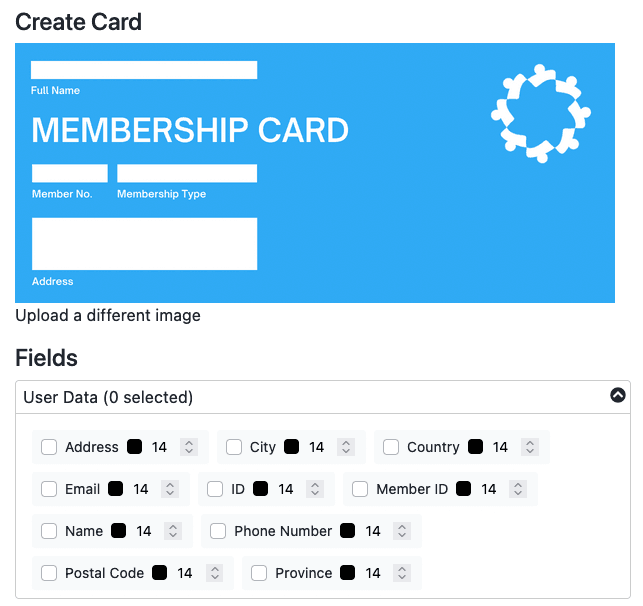
- Collect required agreements at registration. Staff scan digital membership cards or enter a member ID to log visits and check active status.
- Program registration and facility rentals
- Add programs for capacities, waitlists and registration; add facilities for room calendars, recurring rentals and approval workflows.
- Communal pricing
- From $75/month for 250 members. Programs add $50/month; facilities start at +$65/month. See pricing and processing details; confirm currency in your agreement.
US organizations often call this community center membership software. The same member, registration and booking workflows apply.
What is community center management software?
Community center management software runs the parts of a center that depend on each other. The pottery class needs the craft room, the Saturday rental needs the hall, and the member rate on both depends on who holds a membership. When those live in one system, a class can't be scheduled into a room you already rented, and nobody at the desk has to check a list to find the right price.
In Canada and the UK it usually goes by community centre management software, or a community centre management system. Same job, same product.
Board- and event-driven organization with light bookings? See community association software. Serving adults 50 and over? See senior activity center software.
You're looking for a better way to...
Stop copying data between tools
Memberships, bookings, program signups and payments sit in one system, so nobody retypes a registration into the booking spreadsheet.
Let members help themselves
Members register for programs, request the hall and renew online. Staff step in when a request needs approval.
Stop double bookings
Every booking is checked against rentals, recurring series and program blocks on that space before it goes through.
Stop chasing renewals
Reminder emails go out before a membership expires, and members renew online or turn on auto-renew.
Powering 500+ community organizations










Community center software built around rooms, programs and members
Six parts of the week that usually live in six places. Here they share a calendar and a member list.
If you are still deciding what to call your resident, family or senior memberships, start with our membership level name ideas guide before you finalize your membership setup.
Rooms, courts and halls
Each space gets its own calendar, rates and rules, and staff can see them all at once. A new booking is checked against what's already there, so the gym can't be promised twice.
Instant bookings or requests
Let the meeting room book instantly and make the main hall wait for your approval. Weekly renters get a recurring series, and a request can become an invoice with a deposit line.
Programs, camps and waitlists
Multi-week courses and single-date classes, with capacity limits, waitlists, age ranges, your own questions and waivers at signup.
Memberships and households
Individual, family and senior memberships with renewal reminders and online renewal. A family plan covers the people the account holder adds, and member rates carry into programs and rentals.
Online and desk payments
Cards through Stripe, plus pre-authorized debit or ACH where your account supports it. Cash and checks taken at the desk are recorded against the same member.
Staff roles and card scans
Give the front desk, program leads and the treasurer their own roles, so each sees only what they need. Members show a digital card at the door and staff scan it to log the visit.
Facilities and programs are separate modules. Read more about facility rental software, program and event registration, attendance sheets, membership check-in and pricing.
Three requests awaiting approval
Main Hall, Court 2, and Rink A
Every booking request lands in one queue
A request arrives with the space, the date, who is asking and their answers to your booking form. You approve or decline it from the same screen.
- Statuses you name, from new to approved
- Invoice built from the booking, deposit line included
- A staff checklist on every booking
- Recurring series for leagues and weekly renters
Read more about the facility booking system.

Drop-in and 8-week course, one calendar
Neither one double-books the gym
Drop-ins and 8-week courses on one calendar
A program can hold its room on the facility calendar, so Tuesday night dance never lands on top of a hall rental.
- One registration covers all eight sessions
- Single-date sessions for people who come week by week
- Capacity limits and waitlists on every session
- The gym shows as taken while the class runs
Member rate applied
$120.00 becomes $85.00
Member pricing applies itself at checkout
A parent with a membership picks the child they are registering and sees the member rate instead of the guest rate. Nobody at the desk checks a list.
- A rate per membership type, plus a guest rate
- Siblings registered in one checkout
- Payment plans when a season costs too much upfront
- Waivers and your own questions at signup
Read more about program and event registration.
One person, one record
Every payment traces back to them
One record for every family that walks in
The same parent might buy a family membership in September, sign two kids up for swimming, book the hall for a birthday in March and help at the fall fair. All of it sits on one member record instead of four tools.
- Memberships, signups, bookings, donations and invoices on one profile
- Family members linked, so a household reads as one
- One login for members, whatever they sign up for
- What members do in the portal shows up for staff right away
Read more about the member portal.
Pass scanned at the desk
Membership confirmed on the spot
The pass is already on their phone
Members add their card to Apple Wallet or Google Wallet when they join, and the front desk scans it on the way in.
- Card emailed as soon as a membership is paid
- Scan at the door, or type in the member ID
- Renewal updates the same card, no reprint
- Every scan logged with the time
Read more about digital membership cards.
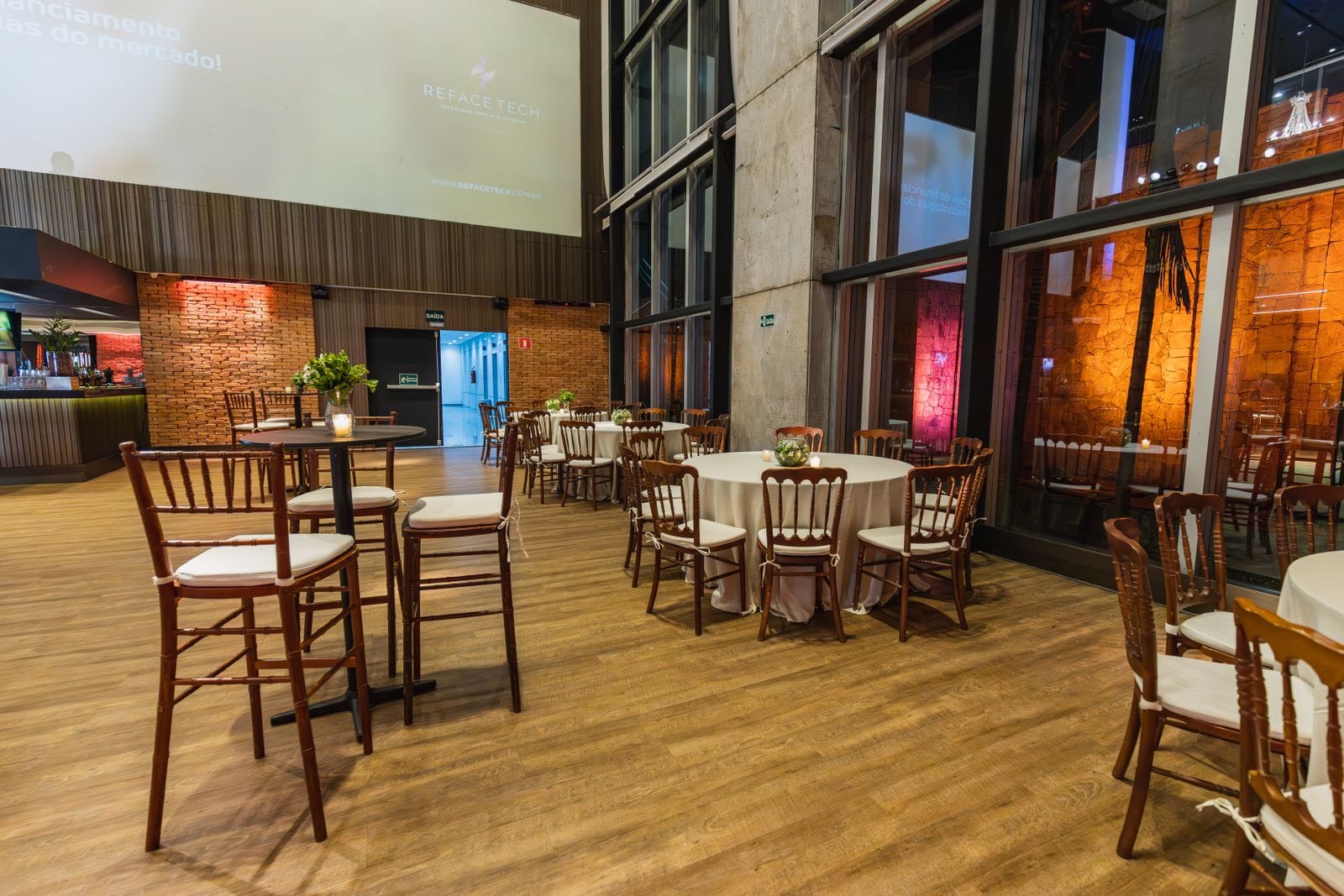
Saturday rental confirmed
Deposit paid on the invoice
Rent the hall to the public without loose paperwork
Weddings, showers and AGMs bring renters who are not members. Their answers, files and invoices stay on the booking instead of in someone's inbox.
- Your rental terms and questions on the booking form
- Insurance certificates filed on the booking
- Deposit and balance on one invoice
- A standard rate, with lower rates by membership type
The day at a glance
Members, revenue and programs today
Community center administration and month-end reports
Taking a payment is the easy part. The work is knowing, a week later, who paid, who renewed, who cancelled and who showed up. Communal keeps those records for the front desk, the treasurer and the board report.
- Transaction, payout, active member and attendance reports
- Invoices, donations and point-of-sale sales in one system
- Exports when the treasurer wants a spreadsheet
- Active members, new members this week, today's revenue and active programs on the dashboard
Read more about membership reporting.
Questions to ask in a community center software demo
Most demos show the calendar. These four questions show whether memberships, bookings and payments are connected.
- Show me a member and a non-member booking the same room.
- The member rate should apply as soon as the member signs in, with no override at the desk.
- How does a member renew or change their address?
- In a member portal, without emailing the office.
- Where do new booking requests show up?
- In one list for staff to approve, with an email to the facility manager when each one arrives.
- How do we report this month's revenue from memberships, rentals and programs?
- From the system's own reports and exports, not a spreadsheet someone rebuilds each month.
Book a demo and ask us all four.
See how community centers use Communal
Real results from organizations combining memberships, programs, and facility bookings in one place.

Programs & Events
How North Glenmore Park Doubled Summer Camp Capacity
North Glenmore Park Community Association
2XCamp capacity increase
Read Case Study →
Facility Rentals
How Hawkwood Increased Revenue with Unified Management
Hawkwood Community Association
IncreasedMembership revenue
Read Case Study →
Programs & Events
How Tuscany Reduced Soccer Registration Workload by 500%
Tuscany Community Association
5-6XWorkload reduction
Read Case Study →500+ community organizations use Communal to run memberships, programs, and bookings.
Book a walkthrough and we will show you how your center could use the same workflows.
Guides for community centers and rec facilities
Deeper reads on running memberships, bookings, and programs without juggling disconnected tools.
Recreation Management Software vs Membership Software
Which one a community center needs, and when one system covers both.
Read guide →How to Set Up a Facility Scheduling System
Your calendar, approval rules, booking windows and the mistakes to avoid when a community center moves bookings online.
Read guide →How to Streamline Facility Booking
Reducing time and frustration on rentals: what works, what is a waste of effort, and how to measure progress.
Read guide →How to Automate Membership Renewals
What to automate, what to keep human, and how to increase renewals while reducing manual work.
Read guide →Simple Membership Software: When Less Is More
Choosing software that stays simple: why complexity creeps in and how to avoid tools you hate using.
Read guide →Membership Level Name Ideas
75+ tier naming ideas for community centers, clubs, and organizations that need clear member levels.
Read guide →Frequently asked questions about community centre memberships
Yes. A household membership covers the family members added by the account holder, and parents can register children from the same account.
Yes. Communal offers an auto-renew option, online renewals and reminders before a membership expires. Members choose whether to enable auto-renew.
Yes. Require agreements during registration, then use digital membership cards or member IDs to log visits and check membership status at the desk.
Community center management software runs a center's bookings, programs, memberships and payments in one system. Staff see every room and every class on one calendar, members register and book online, and each person's history sits on one record instead of across spreadsheets and inboxes.
It should be the one list of who is a member, which household they belong to and when they expire, and it should feed that into bookings and programs. In Communal a family membership covers the people the account holder adds, and the member rate applies at checkout once they sign in, so nobody at the desk checks a spreadsheet.
Yes. Both names describe the same purchase: one system for a center's bookings, programs, memberships and payments. Adding management to the name stresses the staff side. Communal covers the staff side and the member side in one product.
Look for a live calendar for each space, member rates that apply once a member signs in, approval for the spaces that need it, and recurring bookings for weekly renters. Facility rental software shows how Communal handles each one.
Not always. A hall with a few rentals a month and no programs can start with memberships and keep rentals on the calendar it already uses. Communal prices programs and facility booking as separate modules, so a small center adds them when it needs them.
Community center software leans on spaces: room rentals, a busy calendar, programs and a front desk. If your organization is run by a board around memberships and events, with a hall rented now and then, community association software is the closer fit.
Your data and settings stay put. You give the incoming volunteers their own logins and remove the people who step down, so nothing lives in one chairperson's personal spreadsheet or email account.
Yes. Community leagues and multi-use facilities run bookings, memberships and programs on Communal. It helps most when the same families join, register and rent space through the year, because it all lands on one record.
Yes. Centers serving adults 50 and over use it for memberships, program registration, attendance sheets and volunteer hours. See senior activity center software for the details.
No. Members reach your programs, bookings and memberships on your own Communal address, so a social page or a QR code on the hall notice board is enough. If you have a website, link to those pages from it.
Yes, through membership types. Each program and facility can have a rate per membership type plus a guest rate, and Communal charges the lowest rate a person qualifies for. For resident pricing, create a resident membership and limit it to addresses inside a boundary you draw on a map.
Not always. Programs can take guest registrations and facilities can be opened to the public, but member rates need a signed-in member. Members who create an account register, book and renew without typing their details again.
Members add a card to Apple Wallet or Google Wallet. Staff scan it at the door, or type in the member ID, to log the visit with membership check-in. The card's QR code opens a live page showing whether the membership is active.
Yes. Programs can check age ranges against date of birth, collect emergency contacts and medical notes, require waivers and ask your own questions. Parents register each child from one account.
Yes. Communal starts at $75/month for up to 250 members, priced by member band rather than per member. Program registration (+$50/month) and facility booking (from $65/month) are add-ons. See pricing for the details.
Yes. Communal runs in the browser, so staff can work from the front desk, the rink office or home on a computer, tablet or phone.
Every booking is checked against existing bookings, pending requests, recurring series and program blocks on that space, and a clash can't be booked. You can also add a cleanup buffer after each booking and choose which spaces are bookable online.
Yes. Roles such as Facility Manager, Program Manager, Finance Manager and Instructor limit what each person sees and does. That matters when volunteers and seasonal staff are on the desk.
Yes. Instant bookings are paid online at checkout. For requests, staff build an invoice from the booking, mark a line as the deposit and can give the balance a later due date. Returning a deposit after the event is done by staff. Facility rental software has the full workflow.
Yes. Programs have capacity limits and waitlists, and you can add your own signup questions and waivers, so medical notes and consent come in with the registration rather than on a separate form.
From teams who stopped taping tools together.
Community associations, rec centers, and member-based nonprofits across North America moved to Communal when their spreadsheet, booking calendar, and payment system stopped keeping up.

“My experience with the software and the team has been overwhelmingly positive. We switched from another provider and the difference was night-and-day!”
“We are finally able to communicate with our members, run booking software and a program payment platform all in one application. The cost to our Community is very reasonable and the team is fantastic to work with.”
Bring us your messiest workflow. We'll walk it with you.
How the hall gets booked, how program pricing works, how you chase renewals. No canned tour. We walk Communal through your real process so you can see the fit before you decide.